Showing posts with label Database. Show all posts

Tuesday, 18 October 2016

How to unlock and reset SAP user in Oracle

REQUIREMENT:
SAP Basis Administrator locked the user SAP* to avoid misuse and also for the auditing purpose.
In some scenarios like client copy, it would be required to use the user SAP* to access the system. 
To achieve this, it is required to unlock and reset the SAP* user in oracle.

STEPS TO BE PERFORMED TO UNLOCK & RESET SAP* USER

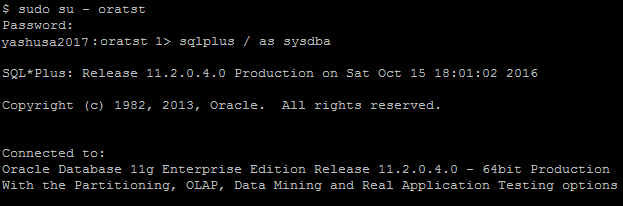
[1] Login with the OS user "ora<SID>" (Ex: oratst) and connect to sqlplus
  • sqlplus / as sysdba

[2] Search for the SAP schema used
  • select OWNER from DBA_TABLES where TABLE_NAME='T000';

[3] Display the uflag and client details from the usr02 table for the user sap*

Note:    (a) UFLAG = other than ‘0’ means account is locked
  (b) UFLAG = 0 means account is not locked

  • select UFLAG, BNAME, MANDT from SAPSR3.USR02 where BNAME='SAP*';
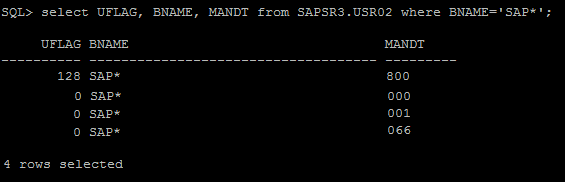
[4] Unlock the SAP* user in the client where it’s locked (from above example, sap* user is locked in the client 800)

  • update SAPSR3.USR02 set UFLAG=0 where BNAME='SAP*' and MANDT=800;

[5] Reset the SAP* password by deleting the relevant row

  • delete from SAPSR3.USR02 where BNAME='SAP*' and MANDT=800;

[6] Set the parameter "login/no_automatic_user_sapstar=0" in default profile      (default.pfl)

Note: This can be done at OS level or from SAP level (RZ10)

  • Change the value from 1 to 0


Note: Information of the parameter “login/no_automatic_user_sapstar”
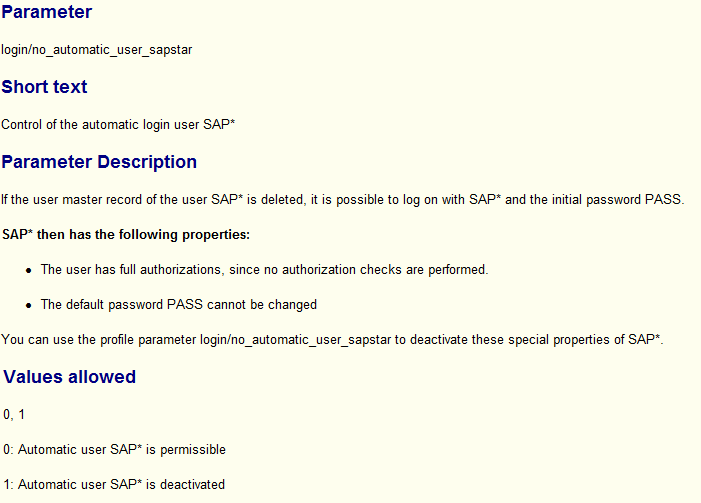

[7] Finally perform the SAP system restart so that above parameter change will be effective

[8] Now we can access the SAP system with user SAP* and password PASS

Saturday, 15 October 2016

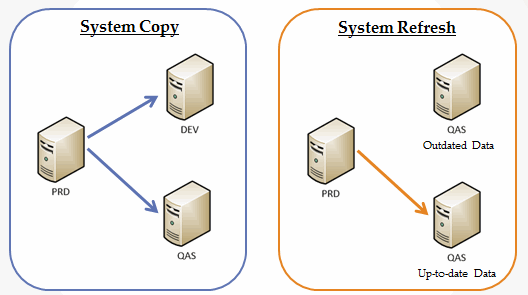
Difference between System Copy and System Refresh

SYSTEM COPY:
To build a new SAP system (demo/test/training purpose) similar to Production system data. System copy can be of 2 types.
There won’t be any changes made in source system.

[1] Homogeneous system copy:
If the source and target systems are running on the same operating system (OS) and database (DB)
[2] Heterogeneous system copy:
If the source and target systems are running on the different operating system (OS) and database (DB)

SYSTEM REFRESH:
Update the existing system data with production data (The target system should be up and running)

Create new test/demo systems                Update existing system with latest data

Wednesday, 28 September 2016

How to delete an index in SAP

To delete an index.

1> Goto SE14 tcode
2> Enter table name choose tables
3> Select 'Edit'
4> In tools bar select Indexes (F5)
5> Select the indexes one by one
6> Select delete index

Note: You can not delete Primary index from database because it is related with primary key and foreign key concept of RDBMS

Saturday, 17 September 2016

How to check the active database parameters in SAP

Go to transaction DB02 -->Additional Functions --> Database parameters

 There are 3 sections available 

  1. Active parameters: To view the active database parameters

  1. Parameters history --> Show parameters history --> To check the database parameters that are changed in the recent past 
·         Provide the date under the field 'Enter date' to view the database parameter changes from the selected date 
  1. SPFILE: To view the SPFILE parameters

Wednesday, 14 September 2016

Activate and deactivate archivelog mode in Oracle

REQUIREMENT: 

During the client copy activity, a lot of archive log files will be created due to lots of changes are being done to the target system.
  1. Hence it is required to run the Archive log backup frequently. If not, there is a fair chance that Archive directory becomes 100%.
  2. We can get rid of the issue by extending the disk space and by scheduling the Archive log backup periodically (for example, every 30 minutes).
  3. But many prefer it to disable the archiving (which means- run the database in NOARCHIVELOG mode) before the client copy, due to the disk space limitations.
  4. Turning off the archiving avoids archive stuck situations as no logs are created, also the client copy will be faster.
Below are the steps to be followed to disable the ARCHIVELOG mode.

[1] Check the current status of ARCHIVE LOG mode

Issue the below command from Oracle SQL prompt

SQL > select  log_mode from v$database;

LOG_MODE
------------------
ARCHIVE LOG

The result from the above command is: Database is in 'ARCHIVE LOG' mode.
Our aim is to disable the archive log mode.

[2] shutdown the oracle database with the below command

SQL > shutdown immediate;

[3] Database should be in 'MOUNT' status (Command is as below)

SQL> startup mount

[4] Now we are good to issue the below command to disable the ARCHIVE LOG mode

SQL > alter database noarchivelog;

[5] Final command is to open the database

SQL > alter database open;

NOTES:
  • ARCHIVE LOG mode status is changed now and the status can be checked with the command from the step [1]. 
  • Please make sure that re-enable the archiving after the client copy is finished. Follow the same steps except replacing the command in step [4] with alter database archivelog; 

Monday, 12 September 2016

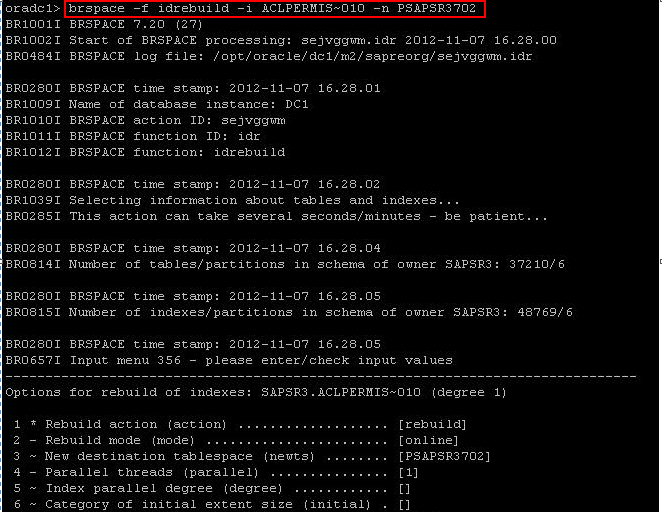
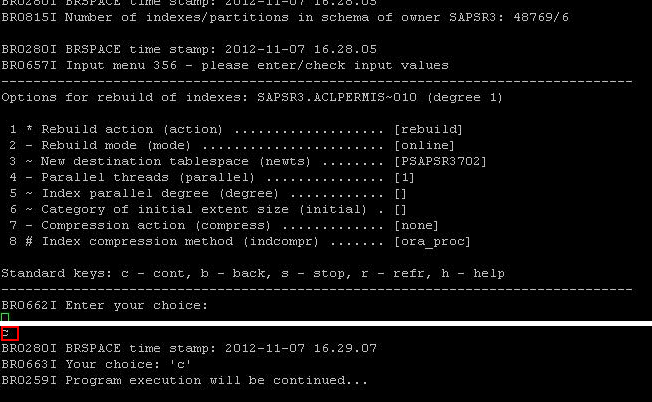
Index rebuild of Table in different tablespaces

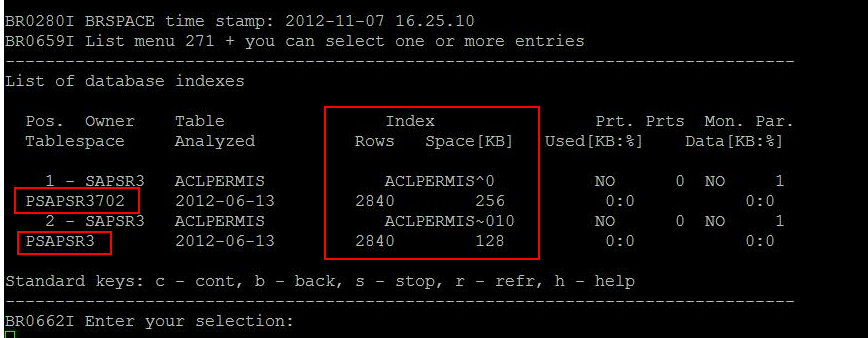
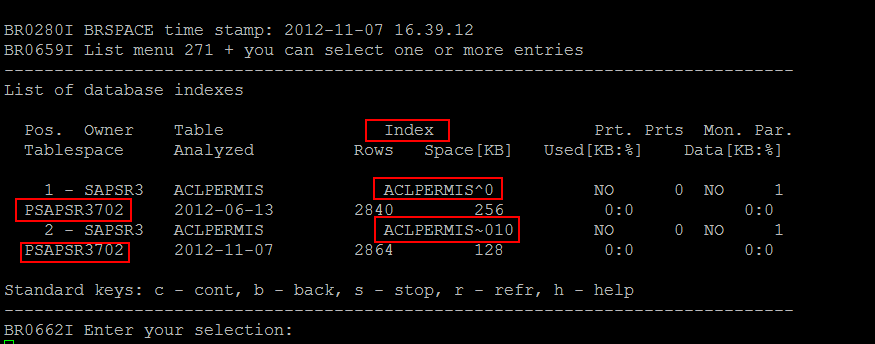
 ·         Get the 
(A) Index and 
(B) Tablespace name
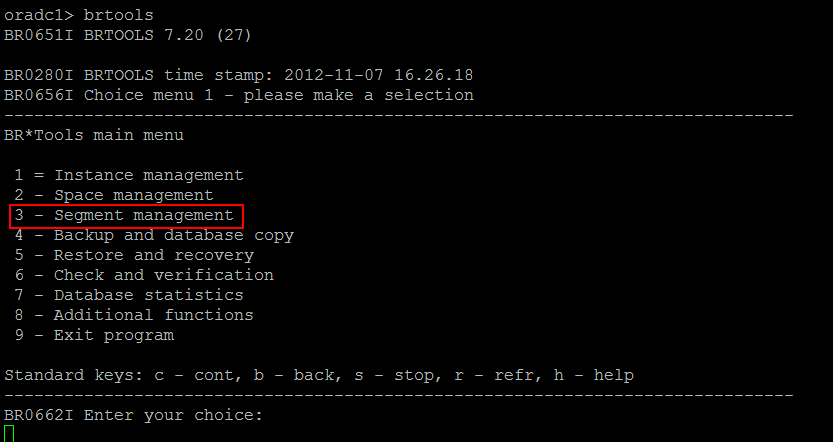
for the required table from brtools

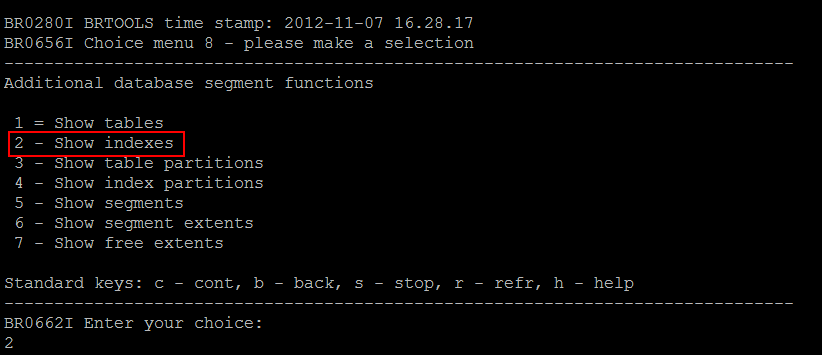
 ·         brtools --> 3 - Segment management


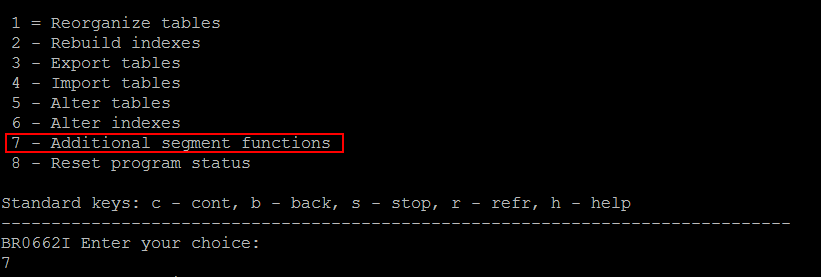
 ·         7 - Additional segment functions


 ·         2 - Show indexes


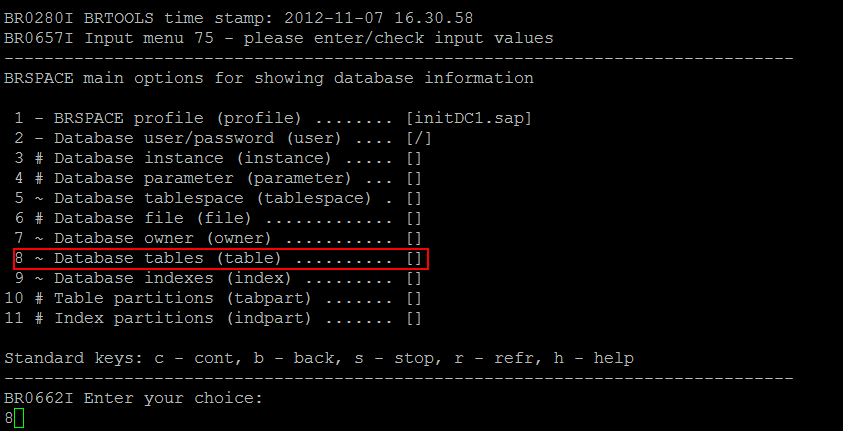
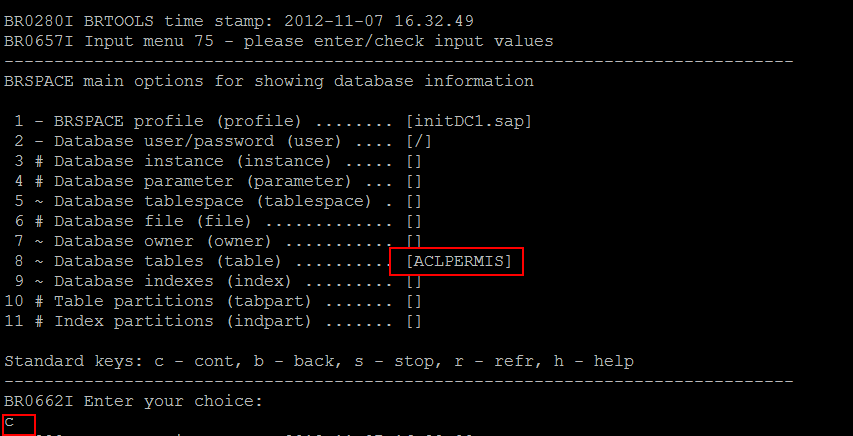
 ·         8 - Database tables (table)


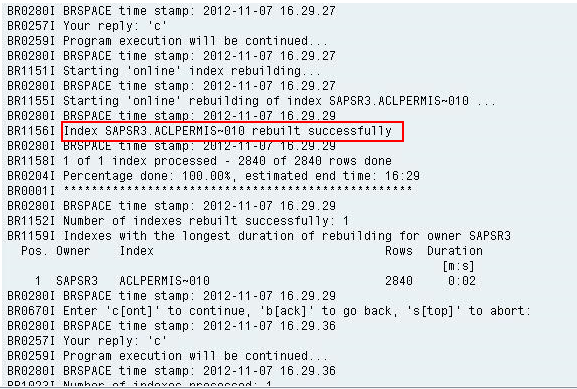
·         Now check again in brtools after rebuilt of index
·         Once the index rebuilt is done, run update optimizer statistics from db13